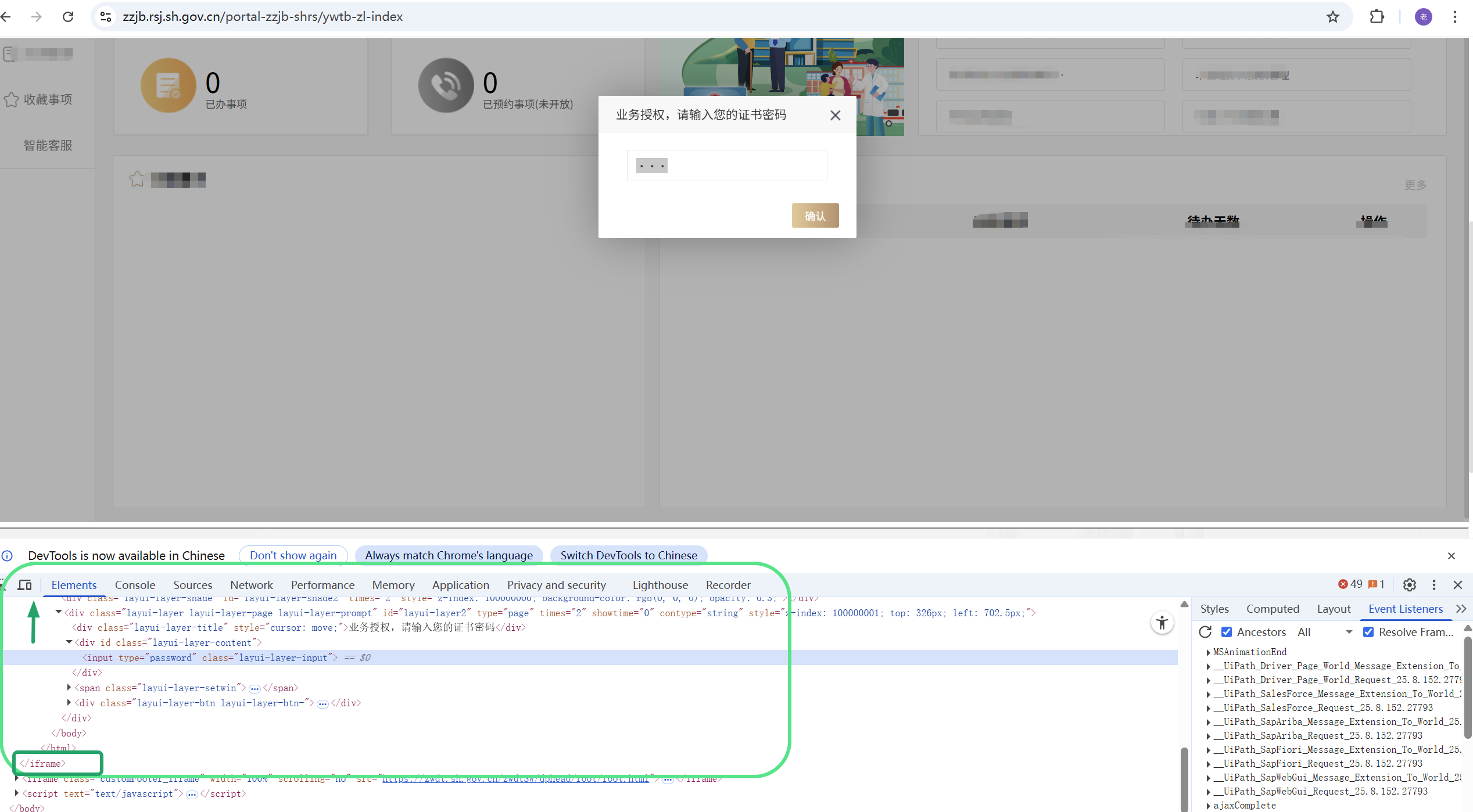
I opened the target URL and entered my username and password to complete the login. After logging in and loading, the system popped up a window asking me to enter my password again on the pop-up window.
I saw selectoron F12 browser, please refer to the screenshot for details.
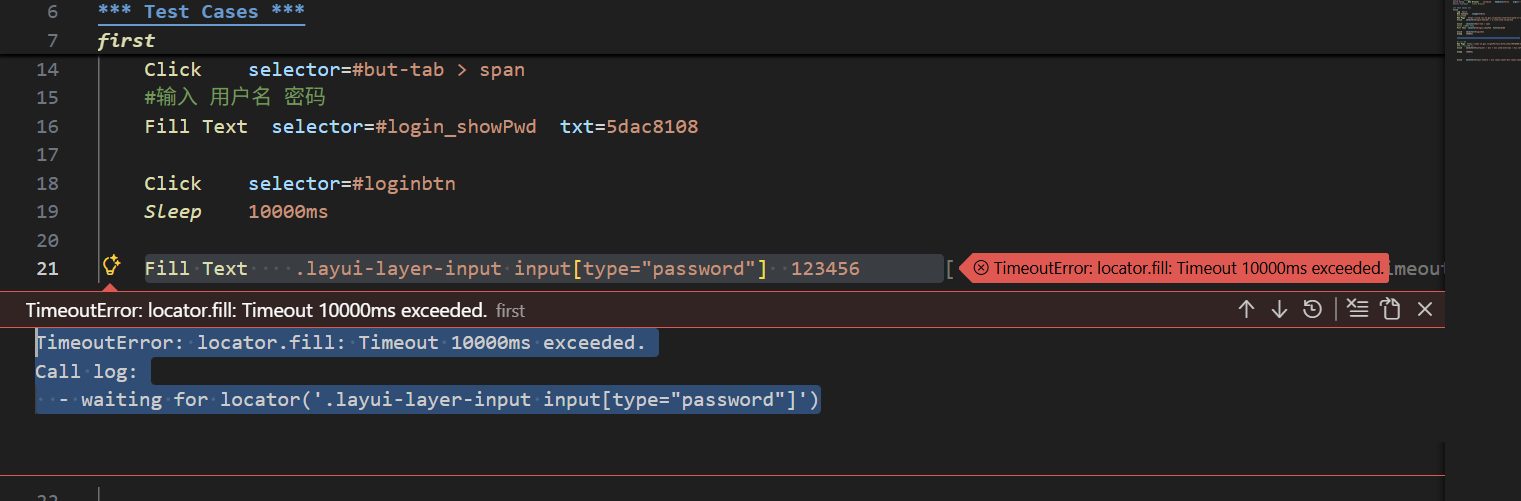
Then I wrote in my automation code: Fill Text .layui-layer-input input[type=“password”] 123456
Test run error:
TimeoutError: locator.fill: Timeout 10000ms exceeded.
Call log:
- waiting for locator(‘.layui-layer-input input[type=“password”]’)
I am certain that I have waited enough time for the pop-up window to become visible.
What should I do?