Good Afternoon!
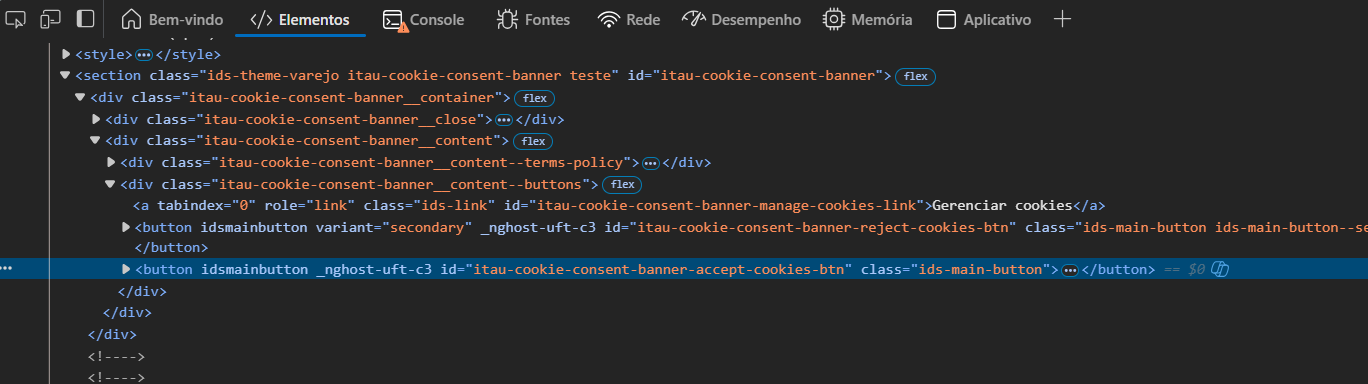
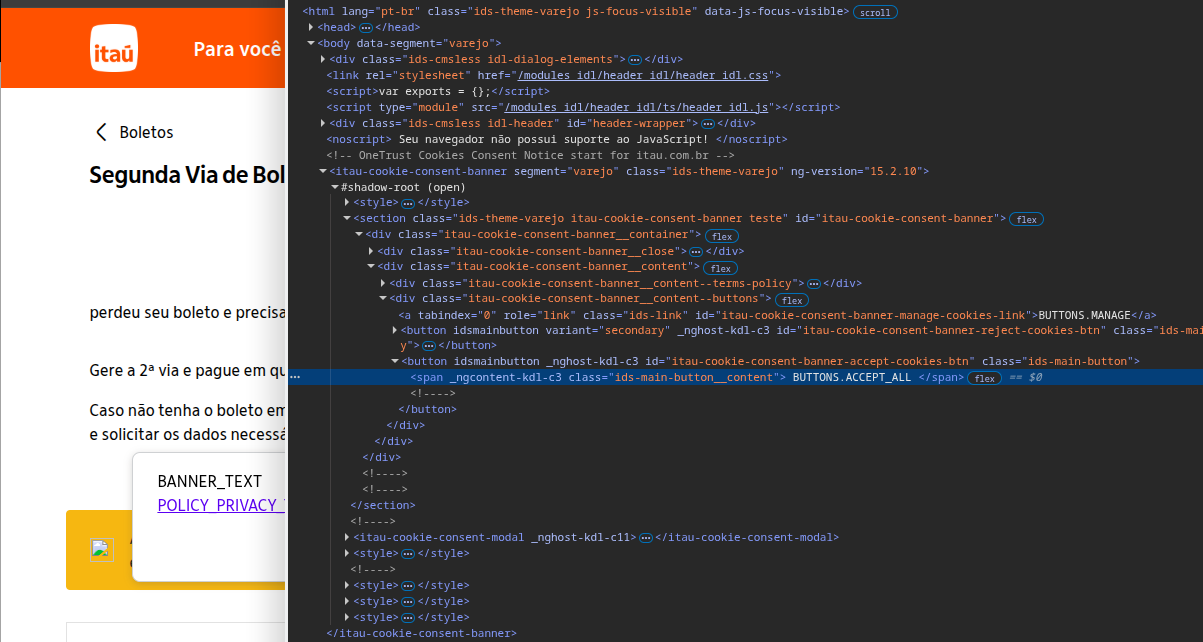
I can’t close this popup in url https://www.itau.com.br/servicos/boletos/segunda-via
Html
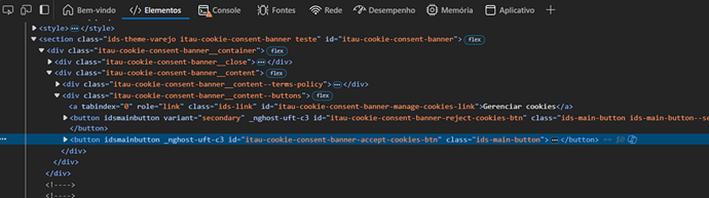
xpath: /html/body/itau-cookie-consent-banner//section/div/div[2]/div[2]/button[2]
my code:
Open Browser url=${url_itau} browser=${BROWSER}
Wait Until Page Contains Element locator=xpath:${botao_cookie}
Click Button locator=xpath:${botao_cookie}
Error:
Element ‘xpath:/html/body/itau-cookie-consent-banner//section/div/div[2]/div[2]/button[2]’ did not appear in 5 seconds.
Someone please? Tks
You don’t show, but the HTML code is inside a shadow DOM. SeleniumLibrary is not the best framework for this. You should try Browser library.
If you really want to use SeleniumLibrary then you may have to code in JavaScript or Python to call the function getShadowRoot().
Thank you for your help! I used getshadowroot and it’s worked fine!
Can you post here the code you use to help others?
*** Test Cases ***
Executar Rotina
Wait Until Page Contains Element dom:${campo_cpf_cpj}
#Log dom:${JSPath}
Sleep 5s
Click Element dom:${campo_cpf_cpj}
Input Text dom:${campo_cpf_cpj} text=${cnpj}
Click Element dom:${campo_dados_boleto}
Variable
${campo_cpf_cpj}= document.querySelector(‘app-emissaoboletos’).shadowRoot
… .querySelector(‘#billet_page’)
… .querySelector(‘#billet_page-grid’)
… .querySelector(‘app-billet’)
… .querySelector(‘#billets’)
… .querySelector(‘form’)
… .querySelector(‘#billets-forms’)
… .querySelector(‘#billets-forms-fields’)
… .querySelector(‘app-input-field[formControlName=“cpf_cnpj”]’)
… .querySelector(‘div.billet-input_field’)
… .querySelector(‘div.billet-input_field-group’)
… .querySelector(‘#billet-input_field-input-cpf_cnpj’)
html:
This is the version with Browser library for the original problem of accepting cookies:
    *** Settings ***
    Library           Browser

    *** Test Cases ***
    Accept Banner with Browser
        VAR    ${url_itau}=    https://www.itau.com.br/servicos/boletos/segunda-via
        VAR    ${elemento}=    css=\#itau-cookie-consent-banner-accept-cookies-btn
        New Browser    headless=False
        New Page    url=${url_itau}
        Sleep    5 seconds
        Wait For Load State
        Take Screenshot
        Click    ${elemento}
        Sleep    5 seconds
        Take Screenshot